xAI / Grok API Key
xAI / Grok is only available in the PRO version.
Unlock this and other features by upgrading to Joomill Autolanguage PRO
Go PRO
Unlock this and other features by upgrading to Joomill Autolanguage PRO
Go PRO
Follow these steps to create an xAI (Grok) API key.
Step 1: Create an API key
- Go to the xAI Console.
- Click API Keys in the left menu.
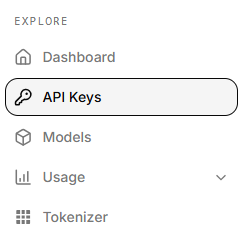
- Click Create API key in the top-right.
- Enter a name (e.g.
Joomla-Auto-Translate), set access restrictions and rate limits as needed, then click Create API Key.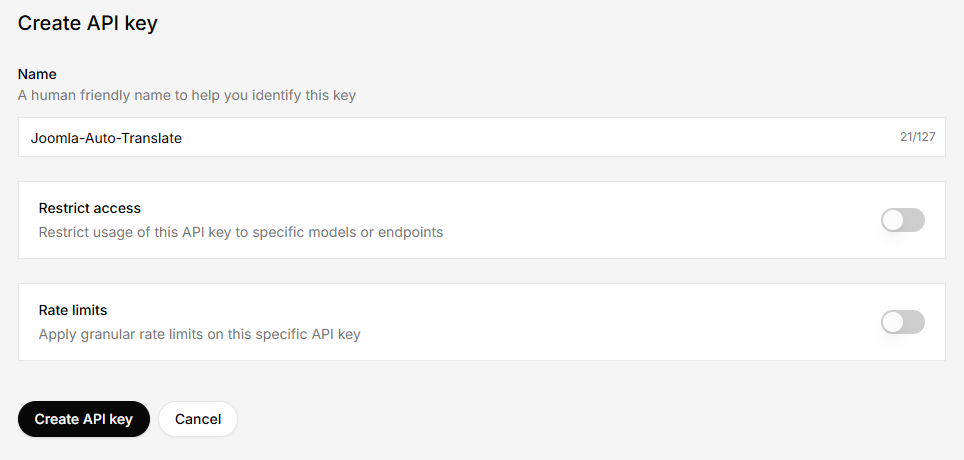
- Copy the API key and store it somewhere safe.
Step 2: Add the key to Joomla
- Log in to your Joomla backend.
- Go to System > Manage > Plugins and open System - Autolanguage.
- Open the Service & API tab.
- Set Translation Service to xAI / Grok.
- Paste your key into the xAI API Key field.
- Save, then select the Grok model you want to use for translations.