Configuration - Modules
Module translation is only available in the PRO version.
Unlock this and other features by upgrading to Joomill Autolanguage PRO
Go PRO
Unlock this and other features by upgrading to Joomill Autolanguage PRO
Go PRO
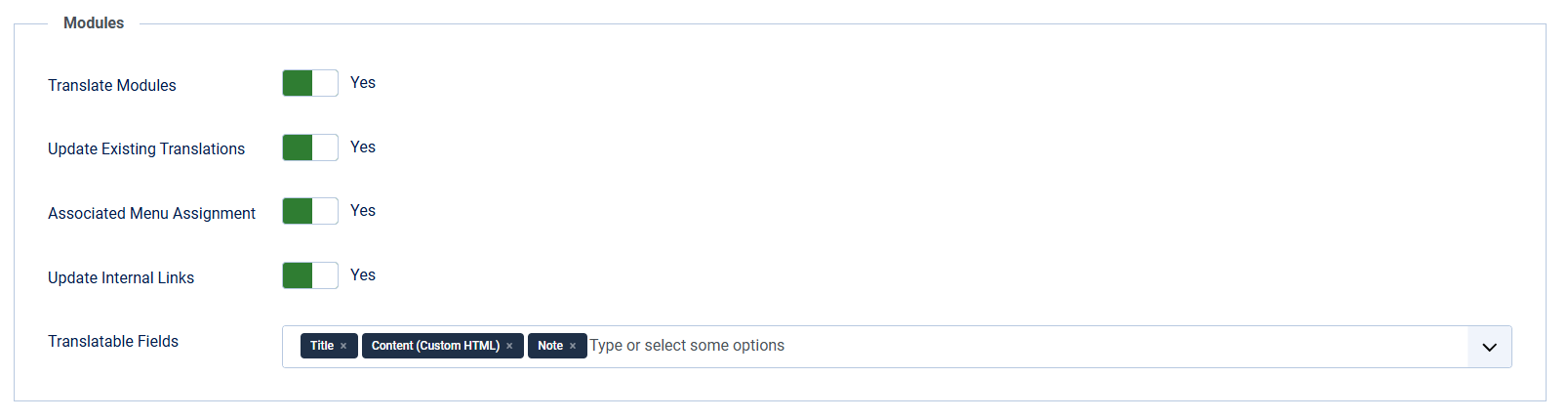
| Translate Modules | Enable to automatically clone and translate modules when saving. The plugin only works if the item being saved matches the source language. |
| Update Existing Translations | If 'Yes', existing translated items are overwritten with a new translation when you save the source item. If 'No', only new items are created. |
| Associated Menu Assignment | If enabled, the plugin attempts to assign the translated module to the translated menu items. |
| Update Internal Links | If enabled, internal links (to articles/menus) in Custom HTML modules are updated to their translated versions. |
| Translatable Fields | Select which fields the translation service processes. Unselected fields are copied 1-to-1 and not translated. You can choose from: Title, Content (only in Custom HTML modules) and Note. |
| Fields to Update | Applies to existing translations only. 'All fields' rebuilds the translation from the source module, so every field you did not select under Translatable Fields is copied over in its original language. 'Only the selected fields' leaves those unselected fields exactly as they are on the existing translation, so you can adjust one field without the others being replaced by the source text at the same time. In that mode the menu assignment of the existing translation is left alone as well, even when Associated Menu Assignment is enabled. Values such as the position, the module type, state, access and the publishing dates keep following the source module in both modes. A new translation always receives a full copy, because there is nothing to preserve. |
| Default State for New Translations | Set the publication state for newly created module translations. 'Default' copies the state from the original module. You can choose from: Default (copy from original), Published, Unpublished, Trashed. |