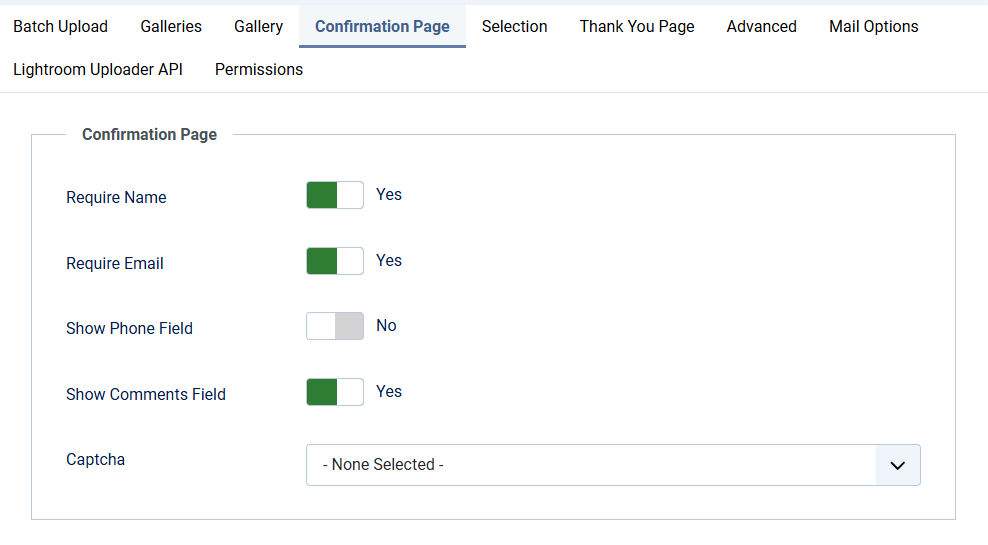
Confirmation Page options
| Require Name | Make the name field required on the confirmation form. With No the client can send the order without a name. Default: Yes |
| Require Email | Make the email field required on the confirmation form. With No the client can send the order without an email address; the confirmation email to the client is then skipped, the photographer still receives the notification. Default: Yes |
| Show Phone Field | Show or hide the phone field on the confirmation form. Default: No |
| Show Comments Field | Show or hide the comments field on the confirmation form. Default: Yes |
| Captcha | Show a captcha on the order form to stop automated submissions. Choose one of the enabled Joomla captcha plugins, or leave it empty to use no captcha. Default: none. Available as of version 1.4.0. |
| Photo notes in the preview | When photo notes are enabled (Selection options) and the selection preview step is shown, each photo in the preview has its own note field, so the client can review and edit their notes before submitting. |
One visitor can send at most 10 orders per hour. Client details are placed in the emails as plain text.