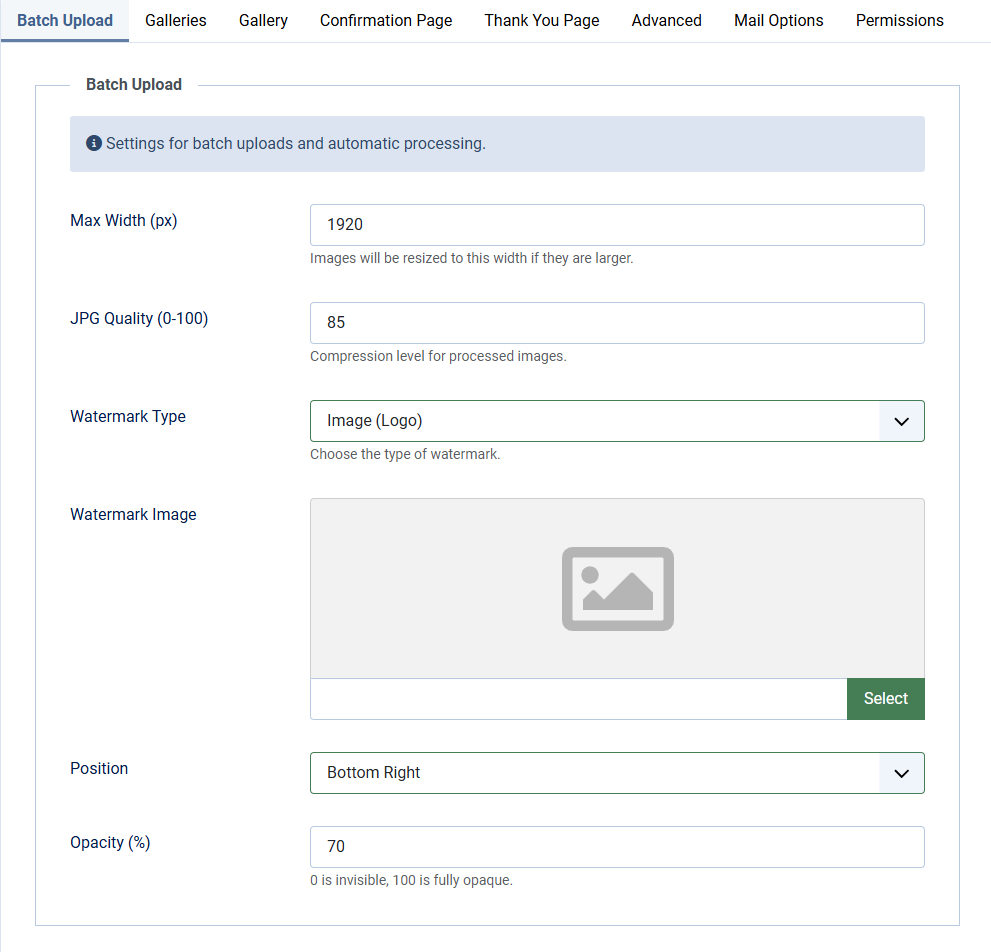
Batch Upload options
Only JPG, PNG and WebP files can be uploaded. The file type is verified on the actual file content, not just the extension.
| Max Width (px) | Images will be resized to this width if they are larger. Default value: 1920 |
| JPG Quality (0-100) | Compression level for processed images. Default: 85 |
| Watermark Type | Choose the type of watermark. Select None, Text or Image (logo) |
| Watermark Text | Only available when set Watermark Type to Text Type the text you want to show as Watermark text |
| Font Family | Only available when set Watermark Type to Text Choose the Font Family you want to use as Watermark text. Choose from: Arial, Times New Roman, Courier New, Verdana, Georgia, Roboto. Default: Arial. Note: font availability depends on your server configuration. If the selected font is not found, a built-in fallback font is used. Default: Arial |
| Font Size (px) | Only available when set Watermark Type to Text Base size, scales relatively based on image dimensions. Default: 40 |
| Text Color | Only available when set Watermark Type to Text Choose the Font Color you want to use as Watermark text. Default: #ffffff |
| Watermark Image | Only available when set Watermark Type to Image (Logo) Choose the Image you want to use as Watermark. The watermark image is automatically scaled down to a maximum of one third of the image width. |
| Position | Choose the position where you want to show the Watermark text or Watermark Image on the photo. You can choose from: Top Left, Top Center, Top Right, Center Left, Center Middle, Center Right, Bottom Left, Bottom Center or Bottom Right. Default: Bottom Right. |
| Opacity (%) | Set the Opacity of the Watermark Text or Watermark Image. 0 is invisible, 100 is fully opaque. Default: 70 |
You can see some examples of Watermark on https://demo.joomill-extensions.com/en/client-response-gallery/galleries/watermark-demo