Youtube - Usage
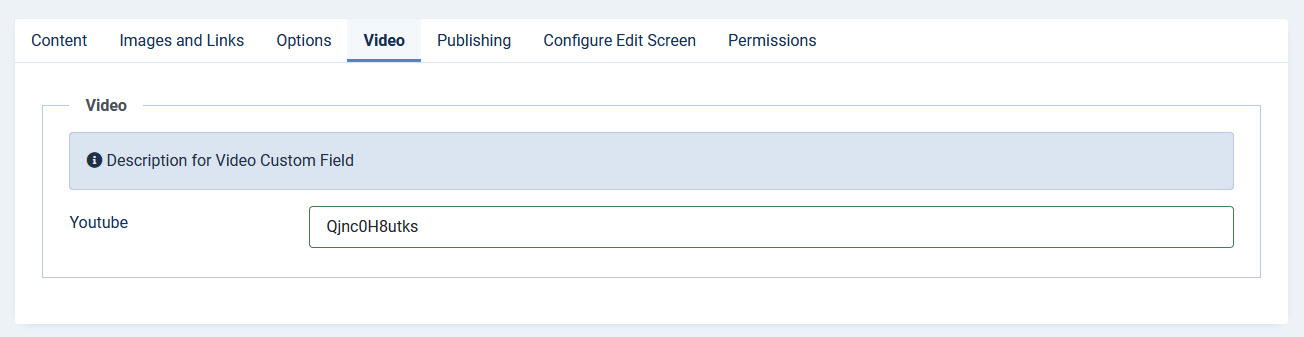
After you have created the custom field you see a text field in the article.
In the text field you can enter either:
- the video ID of the YouTube video (the 11-character code), or
- the full YouTube URL, e.g. https://www.youtube.com/watch?v=..., a short https://youtu.be/... link, or a Shorts, Live or embed URL.
The plugin automatically extracts the video ID from the URL, so you no longer have to strip it out by hand.
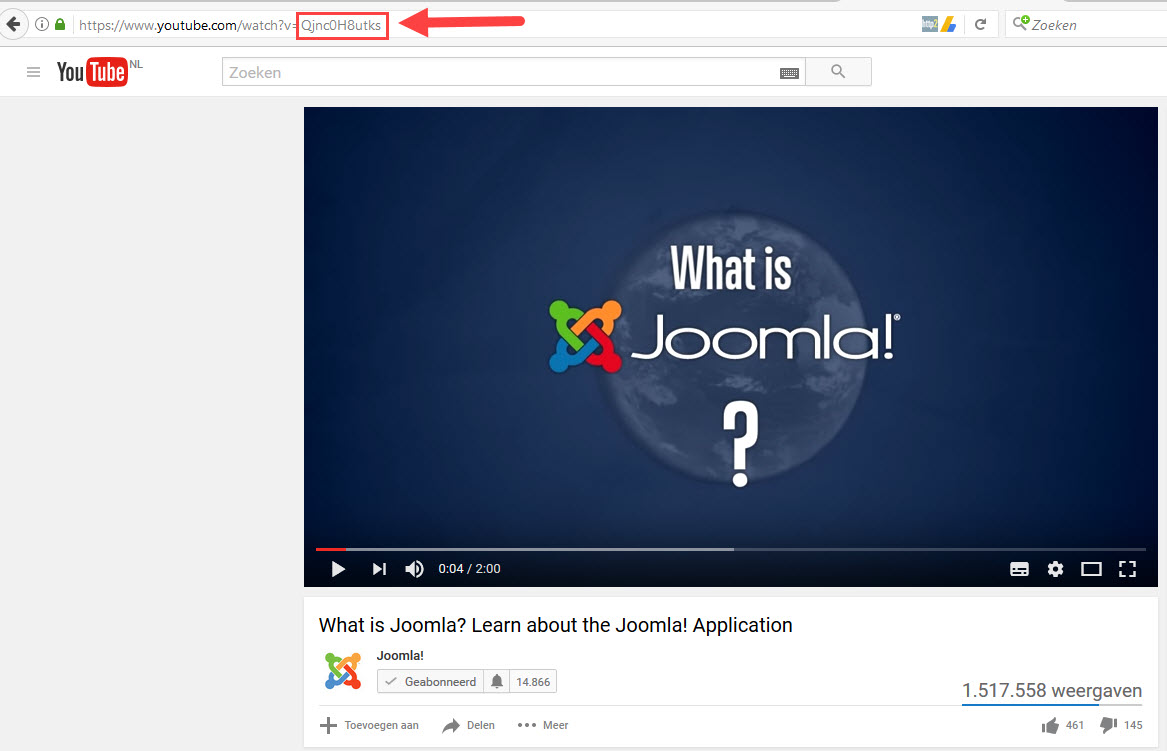
The video ID can be found in the YouTube video URL. For https://www.youtube.com/watch?v=dQw4w9WgXcQ, the ID is dQw4w9WgXcQ. (You can also just paste the whole link.)
Setting a start or end time per video (PRO)
If you paste a URL that contains a timestamp, that video starts (and optionally stops) at that point, overriding the global Start/End options for this single video:
- Start: https://youtu.be/dQw4w9WgXcQ?t=90 or ...&start=90
- End: ...&end=120
- Times accept plain seconds (90) or the 1h2m3s format (1m30s).
A plain video ID or a URL without a timestamp keeps using the global Start/End options, so existing fields are unaffected.