Troubleshooting & FAQ
Troubleshooting
The opening hours or countdown show the wrong time
Check the Time Zone field in Date & Time settings. All calculations, including the live countdown and the currently open/closed status, use this time zone, not your server's default.
The second line for lunch breaks doesn't appear
A second time slot per day (for example a lunch break) is a PRO feature. In the FREE version, only one line per day is available.
Tokens like {countdown} or {statuslabel} show up as plain text
These tokens are processed by the Opening Hours content plugin, which is PRO-only and must be installed and enabled separately from the module. Without it, tags in articles and custom HTML modules are not replaced.
Tokens don't work in a custom HTML module
Enable the Prepare Content option in that module's Options tab. Without it, Joomla does not run content plugins on the module's text.
Microdata isn't showing up in search results
Search engines can take time to re-crawl and re-index a page, this is not immediate. Also double-check that Use Microdata is enabled and the business fields are filled in, on the Microdata tab (PRO).
I want to preview a specific date or time (for example an upcoming holiday)
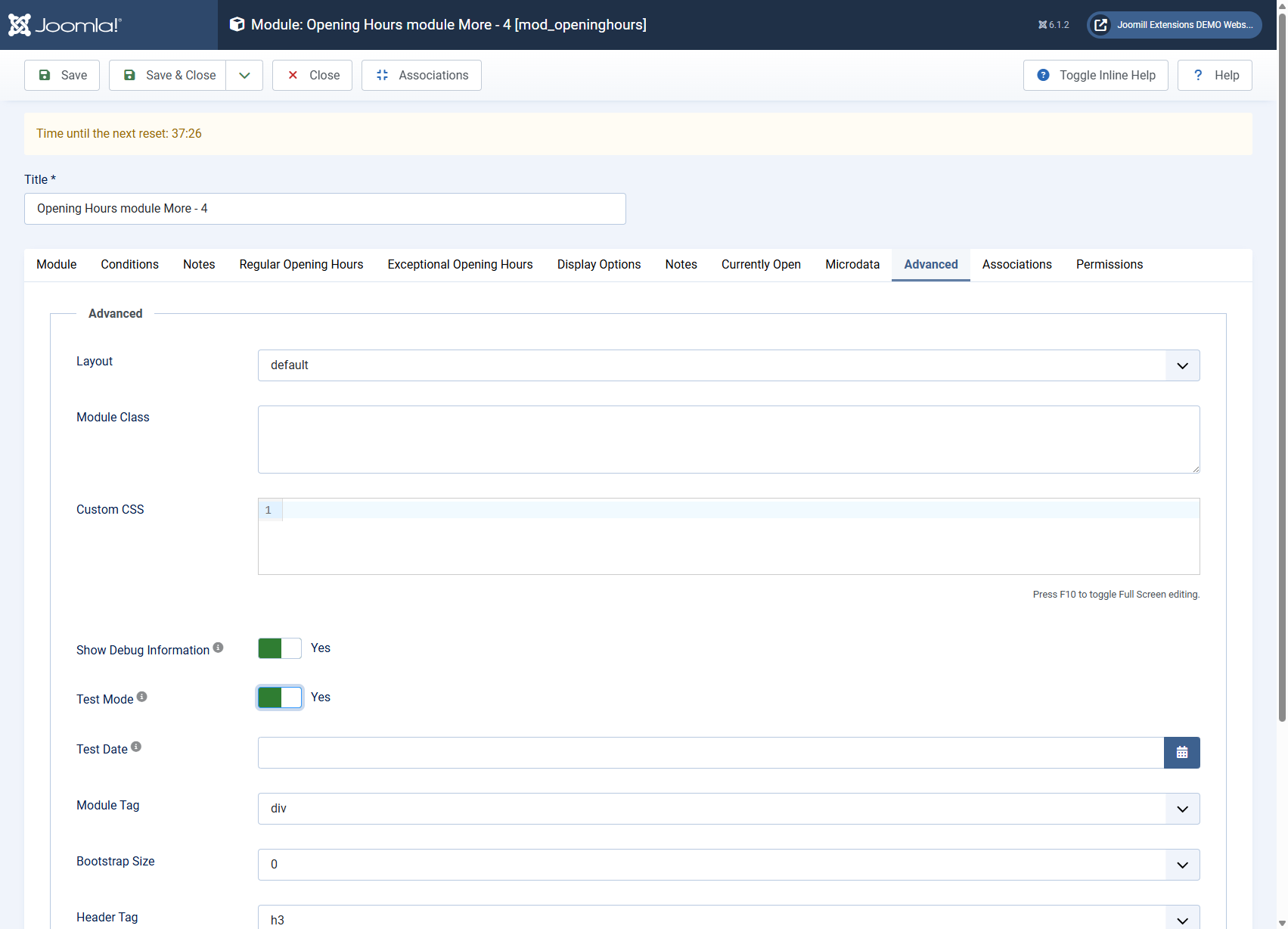
Enable Debug and Test Mode in the Advanced tab, then set a Test Date. The module will calculate its open/closed status and countdown as if that date and time were now, so you can preview exceptional hours before they go live. Turn Test Mode off again afterwards, it is meant for previewing, not for daily use. From version 6.2.3 the debug panel is only rendered for Super Users, so view the page while logged in to your site as a Super User; visitors never see it.
A red notice about my license or download key appears above the settings
From version 6.3.0 the PRO edition shows a notice at the top of the module settings when no download key is entered, when the key is not known, when the license is about to expire or when it has expired. The module keeps working in every case, the notice only tells you that updates and support depend on a valid license. It cannot be closed and it is only shown to users who are allowed to manage extensions, never to visitors.
Enter or correct your download key under System > Update > Update Sites, or renew your license in your account on joomill-extensions.com. The status is checked each time you open the settings, so the notice is gone the next time you load the page. The options of the Opening Hours content plugin show the same notice for the plugin's own download key.
A Joomill offer appears above the settings
From version 6.3.0 a running Joomill promotion can be shown at the top of the module settings, in both the FREE and the PRO edition. It is only visible in the Joomla administrator, never on your website. Close it with the close button and it stays hidden in every Joomill extension on that site until the next promotion.
FAQ
What's the difference between FREE and PRO?
The FREE version covers regular weekly opening hours with basic display options. PRO adds a second time slot per day, exceptional/holiday hours, the currently open/closed status message, notes, microdata, the content plugin, and several extra display and formatting options, each marked PRO version only in these articles.
Can I remove the "Opening Hours module by: Joomill" text?
Yes. In the FREE version, use the Show Footer? toggle on the Advanced tab to hide it. The PRO version does not show this text at all.
Can I use the module more than once on a site?
Yes, add multiple instances of the module with different settings, for example for different locations. Tokens in the content plugin accept a module="MODULE-ID" attribute so you can target a specific instance.
Which data does the module exchange with joomill-extensions.com?
From version 6.3.0 the list of running promotions and license notices is fetched from joomill-extensions.com when you open the module settings, normally at most twice a day and shared by all Joomill extensions on your site. In the PRO edition, when a user who can manage extensions opens the settings, the list is fetched on every visit and your download key is sent from your server to joomill-extensions.com to check the license status. The key never reaches the browser. Showing, clicking and closing a promotion or notice is counted anonymously. Nothing is fetched or sent when visitors view your website.
Does this work with any Joomla template?
Yes, the module renders standard HTML and can be styled with the built-in display options or your own Custom CSS, it does not depend on a specific template.