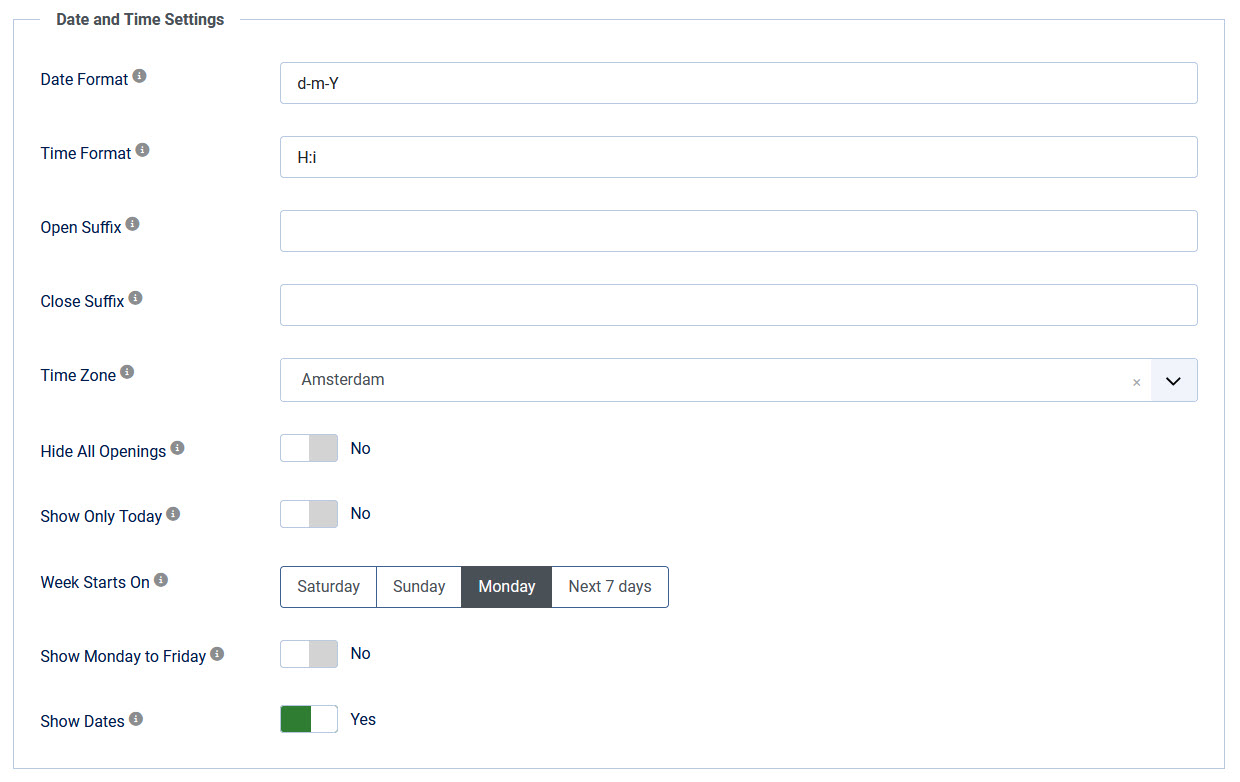
Date & Time settings
These settings can be found in the "Display options" tab.
| Date Format PRO version only |
Choose your favorite date format, displayed on the frontend. The most popular formats are:
|
| Time Format |
Choose your favorite time format, displayed on the frontend. The most popular formats are:
|
| Open Suffix PRO version only |
Text to show after the opening time, like "hrs" or "uur". Leave empty to display nothing. Example: |
| Close Suffix PRO version only |
Text to show after the closing time, like "hrs" or "uur". Leave empty to display nothing. Example: |
| Time Zone | Select the time zone for your business. This setting is used for the highlight options and the currently open/closed status. |
| Hide All openings PRO version only | Don't display any opening hours. Use this to only show the currently open/closed status. |
| Show only today PRO version only | Displays only today and hides all other opening hours. |
| Week Starts on | Select the first day of the week. You can choose "Saturday", "Sunday", "Monday" or "Next 7 days". PRO version only Next 7 days shows today on top, followed by the upcoming days. |
| Show Monday to Friday PRO version only | Displays only Monday to Friday and hides the weekend. |
| Show Dates PRO version only | Shows or hides the Date column. |