Import / Export tab
Style one site, then reuse that exact look on every other site you build. The Import / Export tab lets you save all of the plugin's settings to a file and restore them elsewhere in a few clicks. Over time you can build your own library of ready-made looks.
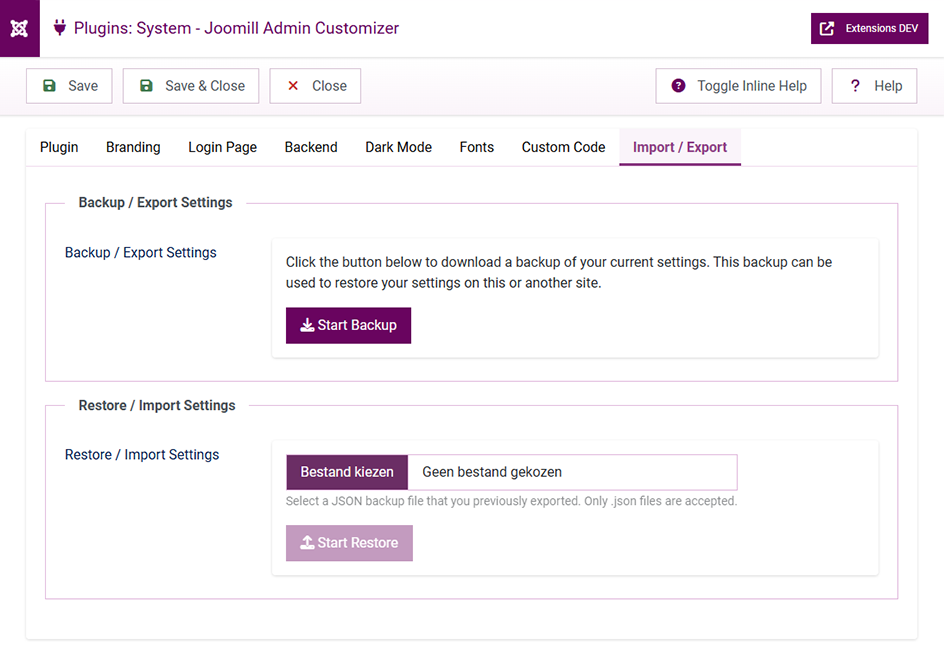
Export (Backup)
Backup / Export Settings: click Start Backup and the plugin generates a JSON file that you'll be prompted to save.
This backup file contains all stored settings for the Admin Customizer plugin. Note that it does not contain any image files, only their locations. After exporting, you can use the file to restore your settings on this site or on a different site.
Import (Restore)
Restore / Import Settings: follow these steps:
- Click Browse and choose a JSON file that you previously backed up. Only
.jsonfiles are accepted. - Press Start Restore to process it.
- When it's done, press Refresh Page to load your newly imported settings.
Good to know
- Images aren't included. Because the backup only stores image locations, any logos or background images need to exist at the same path on the target site (or be re-selected there).
- Same extension only. A backup made with a different Joomill extension can't be imported here, and a file created with a newer version of the plugin can't be restored on an older version, update the plugin first.