Install the extension
Before installing, check that your site meets the requirements below. Ask your web host if you're not sure, or check System > System Information in the Joomla backend.
Requirements
- Joomla! 5.4 or later, or Joomla! 6
- PHP 8.1 or later
Before you install
- Make a full backup of your website. Akeeba Backup is a quick way to create one.
- Update Joomla to its latest version.
Install the package
- Go to System > Install > Extensions in the Joomla administrator.

- Open the Upload Package File tab and select the ZIP file you downloaded (
pkg_frontendeditor). After a few moments, Joomla confirms the package is installed.
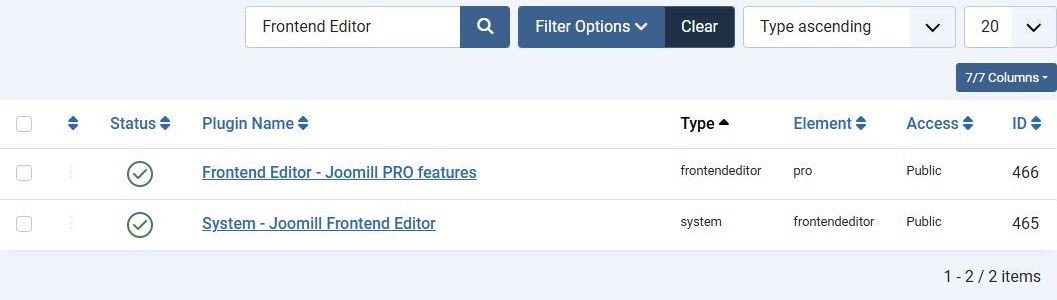
- The package installs the Frontend Editor component and the System - Joomill Frontend Editor plugin, and enables the plugin for you. To confirm, go to System > Manage > Plugins and search for Frontend Editor.
PRO edition
The PRO package also installs the Frontend Editor - Joomill PRO features plugin. Keep it enabled: while it is enabled, the PRO features are available in the profile builder and on the site.
To receive updates, enter your download key under System > Update Sites for Frontend Editor. You find the key in your account on joomill-extensions.com.
Upgrade from Free to PRO
Install the PRO package over the Free version. Your profiles and menu assignments stay as they are.
Next step: see Getting started to build your first profile.