Assign to User
Unlock this and other features by upgrading to Joomill Admin Checklist PRO
Go PRO
If you want to assign a task to a user, download and install the Joomill Admin Checklist Assign To plugin like any other plugin. The plugin is activated automatically upon installation.
How does it work:
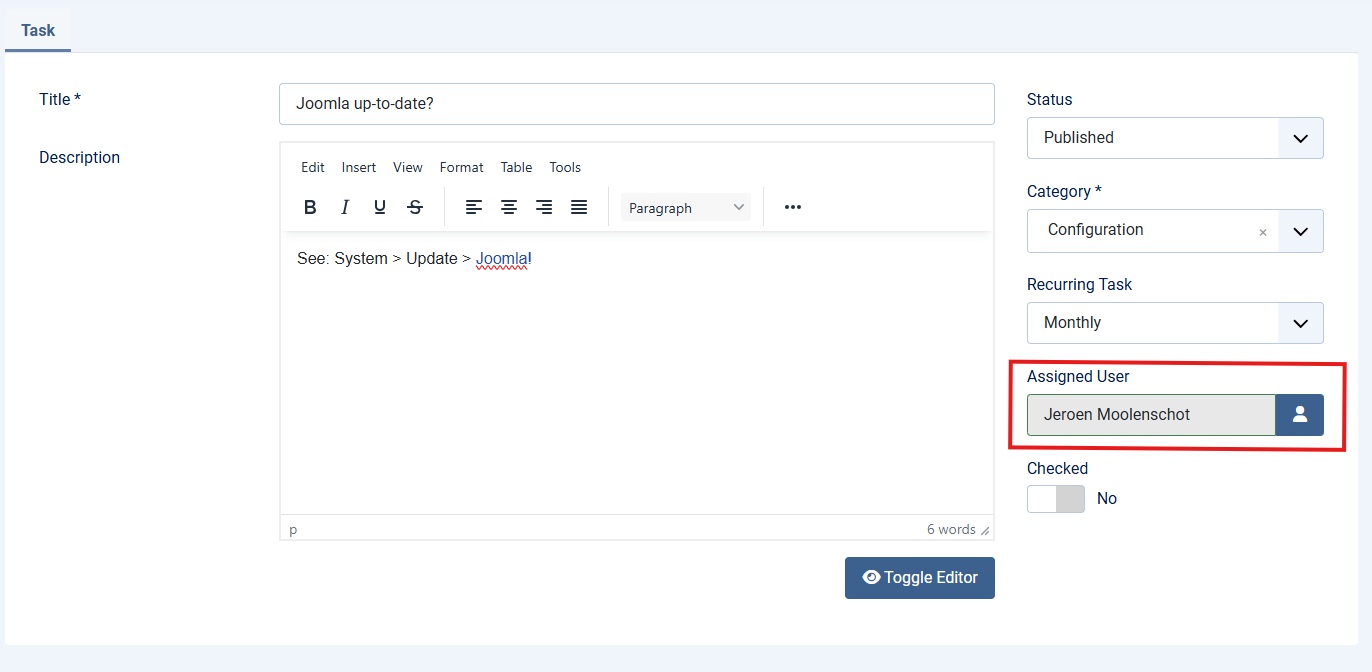
After installation, you'll find an "Assigned To User" field on the right-hand side of the task edit screen. Select the user who needs to perform the task.
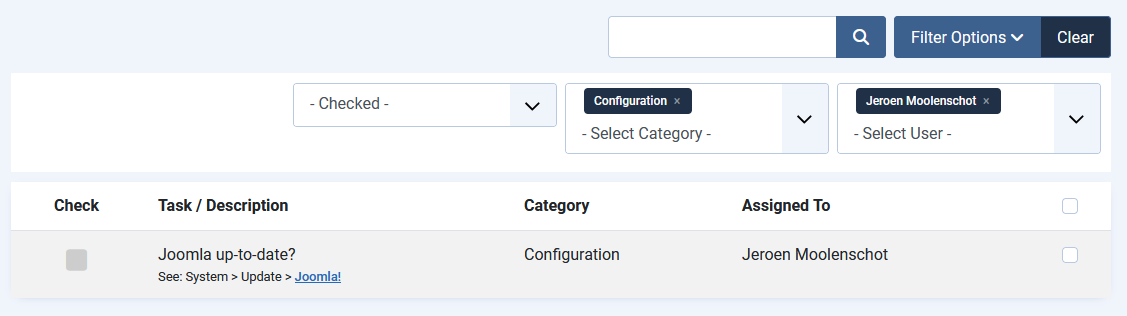
In Task Management and the Checklist view you'll see an "Assigned To" column, which you can also use to filter tasks per user.
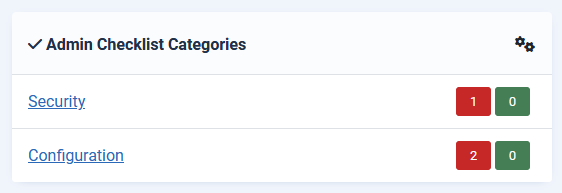
In the Joomill Admin Checklist Module you can enable the "Assigned to me only" option. The module then only shows tasks assigned to the logged in user, and hides categories you're not assigned to.
Assigned to me
Available since version 1.6.0. The user filter in both the Checklist and Task Management opens with Assigned to me at the top of the list, so you can narrow either overview down to your own tasks in one click instead of looking up your own name.
It is always offered, also when nothing is assigned to you yet, and you can combine it with other people the same way you can already combine two colleagues.
The option appears as soon as this Assigned To plugin is enabled; without the plugin there is no user filter at all.