Notion Settings in Form Properties
Go to Components > RSForm! Pro > Manage Forms.
Select your form, or create a new one.
Open the Form Properties tab, then find Notion in the left-hand menu.
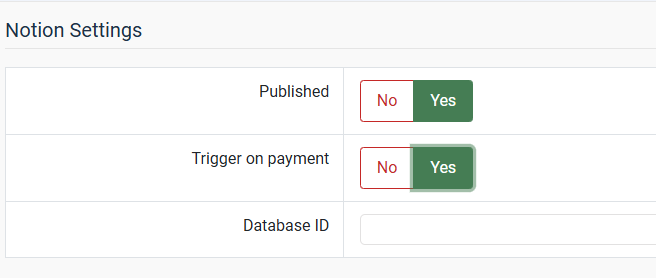
| Published | Select Yes to enable the Notion plugin for this form. |
| Trigger on payment (only visible when the RSForm! Pro Payment Package is installed) | Delays the sync until a transaction completes successfully, instead of sending to Notion right after submission. |
| Database ID | Enter the Notion database ID. See Get Notion Database ID. |
Save the settings after entering the database ID, the field mapping table only appears once a valid database is saved. As long as the field is still empty, the tab tells you to enter a database ID first. If the database can't be read, you get the reason Notion returned underneath the message, which is usually that the ID is wrong or that the integration hasn't been given access to that database.
When your database holds more than one data source, a notice above the table lists the ones that were found. See Get Notion Database ID.
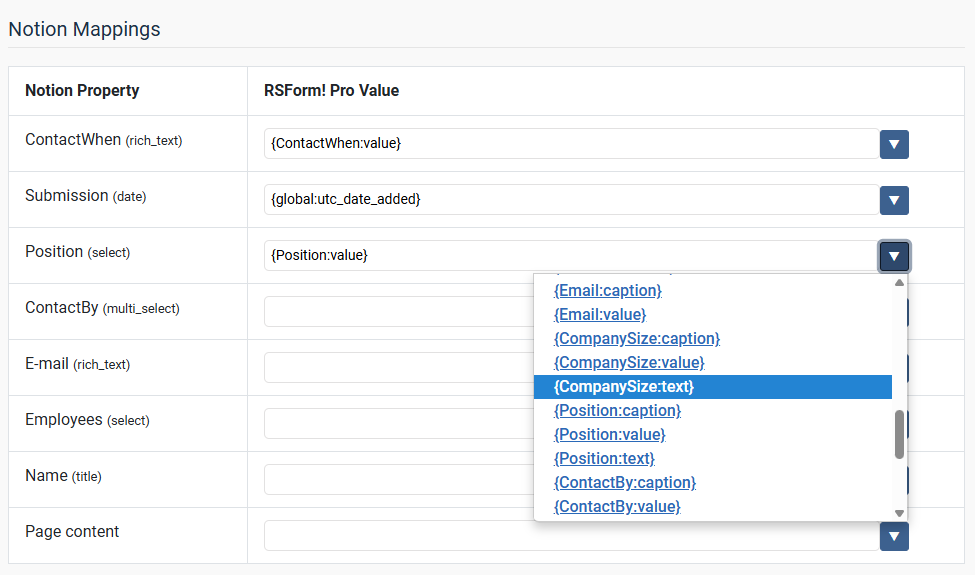
The left column lists the properties of your Notion database. Their order comes from the Notion API and can't be changed, it has no effect on how the plugin works.
For each property, pick an RSForm! Pro field on the right. Click the arrow button to select one or more values, or type your own text.
Supported Notion property types
The table only lists the property types the plugin can write to: Title, Text, Number, Select, Multi-select, Date, Checkbox, URL, Email, and Phone.
Properties of any other type, such as Files & media, People, Relation, Formula and Rollup, are named in a notice below the table. They stay visible so you know they exist, but they can't be mapped.
Values that need a certain format
Most property types take the submitted value as it is. These four are worth knowing about.
| Checkbox | The checkbox is left unticked for an empty value and for 0, no, false, off, and their Dutch, German, French, Spanish and Italian equivalents. Any other value ticks it. |
| Number | The value has to be a number. Anything else is skipped and the property stays empty in Notion. |
| Date | The value has to be a readable date, for example 2026-08-25. A value that isn't recognised as a date is skipped. |
| Select, URL, Email, Phone | An empty value is skipped instead of being sent as a blank, which Notion would refuse. |
Special mapping keys
Two entries in the mapping table aren't Notion properties:
- content: adds the mapped value as a paragraph in the body of the Notion page.
- comments: posts the mapped value as a comment on the Notion page. This only works if you enabled Comment capabilities when you created the integration, see "Internal integration secret key".