Modules
Besides the menu item types, Filedrop ships two site modules. They are installed together with the package but, like every Joomla module, they are not published automatically: go to Content > Site Modules, open the module, assign it to a position and to the pages you want, and publish it.
Filedrop - Upload Form
Shows the same upload form as the component's upload page, in any module position: the drag-and-drop box, the form fields you enabled, the captcha if configured, and the guest password gate if you use one.
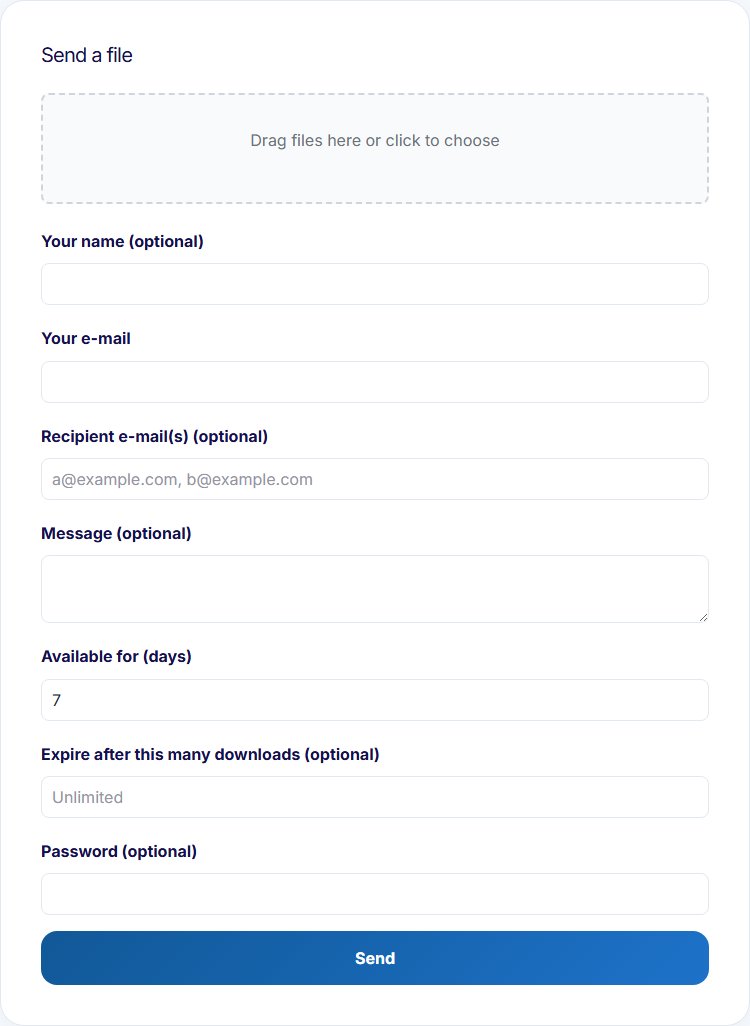
- The module has no settings of its own. Everything - fields, limits, captcha, storage - follows the component options under Components > Filedrop > Options.
- Only one upload form can appear per page. Don't assign this module to the page that already shows the component's upload page (or place two instances on one page); the second form won't work.
- The module is never cached, by design: the form carries a per-user security token.
This module is useful when the upload form should appear somewhere a menu item can't put it: a sidebar, a footer, or embedded on an existing content page.
Filedrop - My Transfers
Shows the logged-in user's transfer list - the same list as the "My transfers" page: transfers sent from and to their account's e-mail address, each with a Download button that's disabled once the transfer has expired or reached its download limit. Guests see nothing at all.
Settings:
- Number of transfers (default 5) - maximum number of rows, 0 shows all
- Show type column (default yes) - the Sent/Received badge
- Show expiry column (default yes)
- Show downloads column (default yes) - the download count, and limit when set
- Show status column (default yes) - Active / Expired / Download limit reached
- Show delete button (default no) - offers deleting the user's own sent transfers, like the My transfers page
The files column and the Download button always show. For a compact sidebar block, switch the extra columns off and keep just the files and the button.