Configuration
Here is the full list of the options you can find in the Admin Notes administrator module settings.

| Edit user groups | Select one or more user groups whose members can edit the text inside the module. The text is visible to other users based on the module's Access level, but they don't see the editor or edit button. |
| Edit users | Select one or more users who can edit the text inside the module, on top of the groups you picked above. The text is visible to other users based on the module's Access level, but they don't see the editor or edit button. When you leave both this option and Edit user groups empty, only Super Users can edit the note. |
| Editor | Choose an editor (like TinyMCE or JCE) to use for editing the text. |
| Always show editor | Show the editor, or show the text with an edit button at the bottom of the module. |
| Show or hide a print button at the bottom of the module. | |
| Download | Show or hide a download button. The text in this module is saved as a .txt file on your computer. |
Advanced
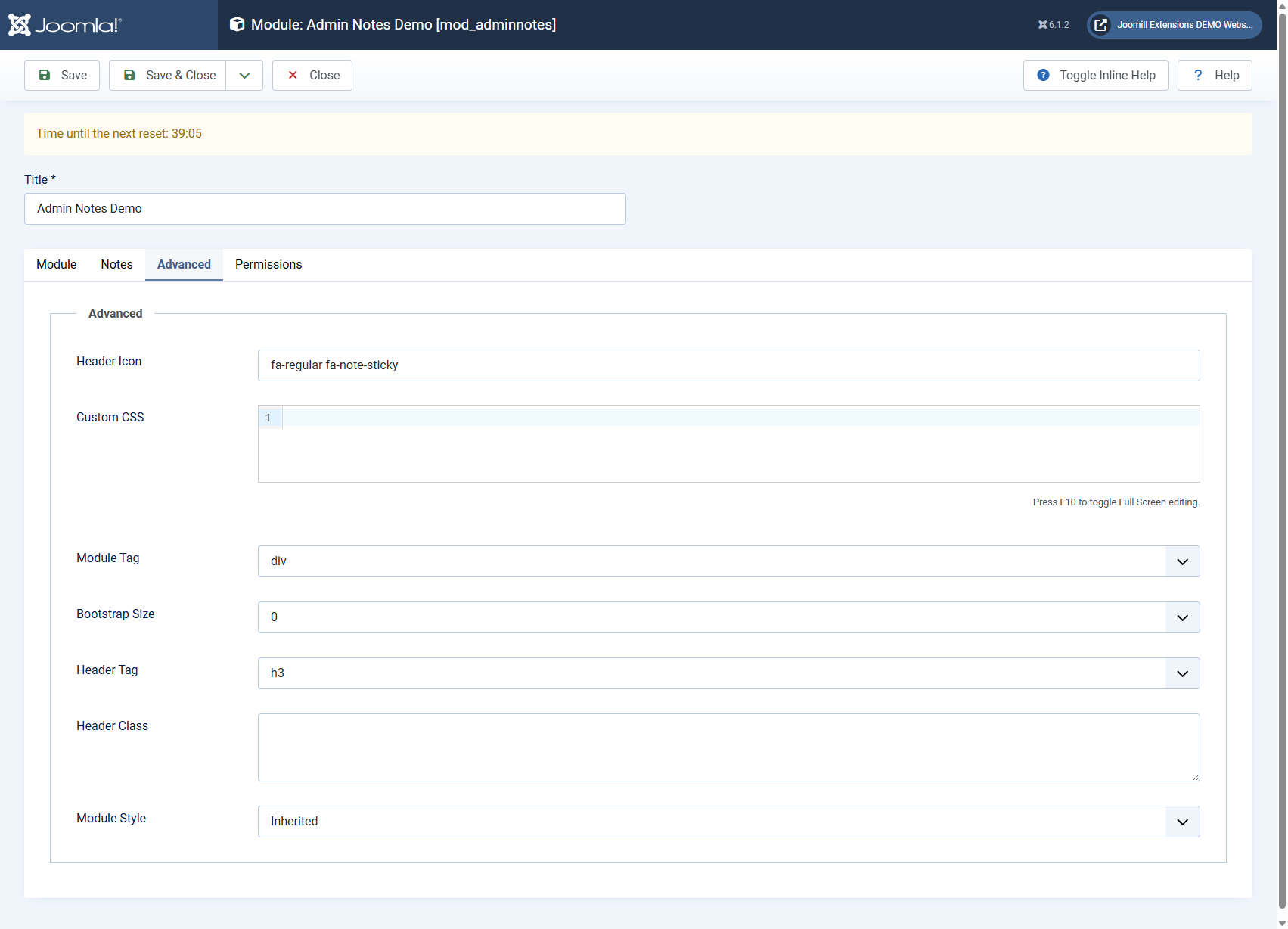
| Header Icon | The icon class shown next to the module heading. Defaults to a sticky note icon. |
| Custom CSS | Add your own CSS to change how the module looks. |
Joomill promotions
Since version 1.6.0 a message about a running Joomill promotion can appear at the top of the module settings screen. It only shows there, never in the module on your dashboard and never on the frontend of your site.
Campaign data is fetched from joomill-extensions.com at most twice a day. Showing, clicking and closing a promotion is counted anonymously. Closing the message hides that promotion in your browser for 60 days.